

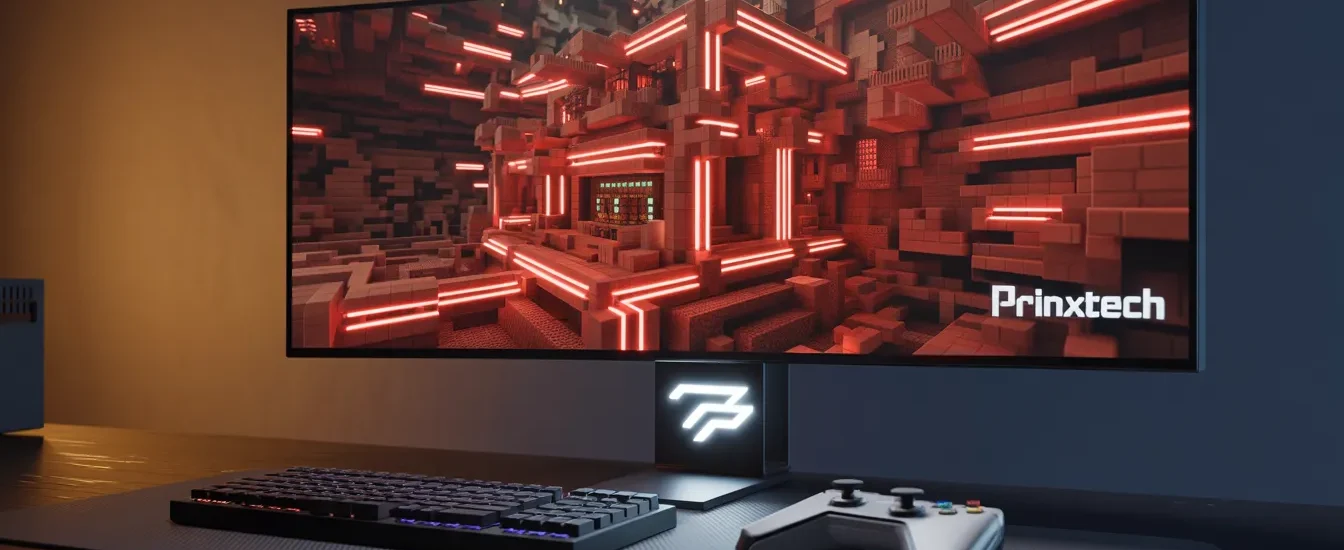

Ever wondered why a game from over a decade ago is so popular? As we enter 2026, Minecraft is the premier platform for endless digital creativity. It has grown a lot, now supporting advanced tech and complex projects that show off our imagination.
Building huge cities or making complex redstone machines, this game is your canvas. Making your first gaming video is more than a hobby. It’s the start of a journey that lets you share your ideas with people all over the world.
This guide will show you how to use modern tools and techniques in Minecraft. Get ready to bring your ideas to life and make your mark in digital creation.
Key Takeaways
- Minecraft continues to lead as the top platform for digital creativity in 2026.
- Modern hardware updates allow for more sophisticated and complex player projects.
- Starting your content creation journey helps you build both technical and artistic skills.
- The game serves as a perfect canvas for sharing unique visions with a global audience.
- Mastering new tools will help you stand out in the evolving landscape of sandbox gaming.
The Enduring Appeal of Minecraft in 2026
Why does a game from over a decade ago remain so popular? It’s because Minecraft offers a mix of simplicity and endless complexity. This mix keeps players eager to explore more. Choosing Minecraft for your creative projects is a smart move for long-term engagement.
Why Minecraft Remains the King of Sandbox Games
Minecraft gives you a freedom that’s hard to find elsewhere. You’re not just playing; you’re actively participating in a world that encourages curiosity and creativity. This makes every play session feel new and thrilling.
The game’s community keeps growing because it meets players’ needs. Whether you love competing, building, or tinkering with redstone, there’s a place for you. Here are the main reasons it stays on top:
- Limitless Creative Freedom: You can create anything from small homes to huge cities.
- Active Community Support: Millions of players share mods, maps, and ideas every day.
- Cross-Platform Accessibility: You can play with friends no matter what device they use.
Technological Advancements in Minecraft 2026
The latest updates have made the game look and feel better than ever. With advanced lighting and physics engines, the developers have expanded what’s possible in the game. Now, you get more realistic shadows, smoother water, and complex interactions.
These updates give you better tools to make amazing content. You can now capture scenes that look like movies. As the game’s engine gets better, so does your ability to tell stories through your creations.
Defining Your Niche for Your First Gaming Video
Your journey to a successful first gaming video starts with knowing your strengths. The Minecraft world is huge, and finding your unique voice is key. It helps grab the attention of viewers who like what you like.
By focusing early, your content will connect with a specific audience. This strategy keeps you from getting lost in the digital sea.
Identifying Your Unique Creative Style
Before picking a format, think about what you love most about the game. Do you enjoy the challenge of redstone engineering or the storytelling in survival mode?
Your authentic passion will show in your commentary and editing. When you’re excited about what you’re doing, your viewers will feel it too. This is your video game debut shining through.
Choosing Between Let’s Plays, Tutorials, or Cinematic Builds
Picking the right format is a big step in your creative journey. Each style has its own purpose and attracts different viewers:
- Let’s Plays: Great for those who love storytelling and connecting with their audience.
- Tutorials: Perfect for explaining complex game mechanics to help others improve.
- Cinematic Builds: Showcases your artistic side through top-notch editing and design.
Think about which format fits your skills and goals. Your video game debut doesn’t need to be flawless, but it should be thoughtful. Once you’ve chosen, you can work on improving and delivering great content in your first gaming video.
Essential Hardware and Software for Gaming Video Production

Starting your first gaming video means picking the right gear. The right tools help bring your vision to life without tech issues.
For top-notch gaming video production, you need the right mix of software and hardware. This combo ensures a smooth experience for you and your viewers.
Selecting the Right Recording Software
The software you pick connects your gameplay to the final video. Most creators look for tools that capture high-quality footage without using too much system resources.
OBS Studio is a top choice because it’s flexible and open-source. It lets you tweak audio and video settings to make your first gaming video look sharp and professional.
| Software | Ease of Use | Resource Usage | Best For |
|---|---|---|---|
| OBS Studio | Moderate | Low | Advanced Customization |
| NVIDIA ShadowPlay | High | Very Low | Quick Highlights |
| Streamlabs | High | Moderate | Integrated Streaming |
Hardware Requirements for Smooth Gameplay and Capture
Your computer must be powerful enough to run the game and record at the same time. A CPU with at least six cores is key for smooth encoding.
Having 16GB of RAM is also important for a responsive system. A dedicated graphics card helps with rendering high-resolution textures.
Optimizing Your PC for High-Frame-Rate Recording
To make professional gaming video production, tweak your system settings. Update your graphics drivers for the best compatibility with your recording software.
Set your in-game settings to keep a stable frame rate. This prevents stutters and makes your video more enjoyable to watch.
Setting Up Your Minecraft World for Maximum Visual Impact
To make your Minecraft map stand out, you need more than just blocks. Visual quality is key to how people see your content. It decides if they want to watch more. By improving your look, you turn a simple game into a pro-level show.
Utilizing Shaders and Texture Packs
Shaders bring your game to life. They add real water reflections, moving shadows, and swaying plants. This makes your world feel truly alive. Try different shader packs to find the right fit for your channel.
Texture packs are also important for your look. They can make your builds look modern or medieval. Consistency is key to keep your videos looking professional.
Building Environments That Tell a Story
Your environment should support your story. Don’t build random structures. Think about how each area adds to your video’s emotional tone. A ruined place can tell a story of the past, while a garden can bring peace.
Add small details to make your world feel real. Clutter, different blocks, and natural shapes make it immersive. When your world feels real, your viewers get more into your story.
Lighting Techniques for Cinematic Shots
Lighting is key for cinematic shots. Use lights like lanterns, glowstone, or sunlight to focus the viewer’s attention. Mastering light helps create dramatic scenes and depth.
Record at different times for unique moods. Golden hour gives a warm glow, while night scenes add mystery. By placing lights carefully, every frame looks like a movie scene.
Recording Techniques for High-Quality Gameplay

Transforming raw gameplay into a polished experience is all about specific recording techniques. Your creative vision is key, but gaming video production also needs technical precision. This keeps viewers engaged.
Capturing Clean Audio and Commentary
Clear audio is more important than high-resolution video. If your commentary is muffled or filled with background noise, viewers will likely click away. This is true even if your builds look impressive.
Invest in a decent USB microphone and place it close to your mouth. This will help capture crisp, professional sound. Use software like Audacity or OBS filters to remove unwanted hums or keyboard clicks. This ensures your voice is the main focus of your gaming video production.
Using Camera Mods for Dynamic Angles
Static, first-person footage can get repetitive over time. To keep your audience engaged, try camera mods like the Replay Mod. This lets you record from any angle.
These tools help you create cinematic pans and smooth tracking shots. They highlight the scale of your structures. By planning your camera movements, you add a professional touch that makes your channel stand out.
Managing Your Recording Sessions for Efficiency
Efficiency is key to long-term success in gaming video production. Always organize your files into clearly labeled folders right after recording. This prevents clutter.
Try recording in shorter, focused bursts instead of letting your software run for hours. This keeps your energy high and makes editing easier. You’ll have manageable chunks of footage to work with, saving you time in post-production.
Structuring Your Gaming Channel Launch Strategy
Starting a gaming channel is an exciting journey that demands careful preparation and foresight. A successful gaming channel launch requires a well-thought-out plan. This plan goes beyond your first upload. By focusing on a clear gaming strategy, you ensure your content reaches the right audience from the start.
Developing a Consistent Upload Schedule
Consistency is key for any growing channel. When you commit to a regular schedule, you teach your viewers when to expect new content. This builds trust and anticipation, which are vital for growth.
You don’t need to upload daily to be successful. Choose a pace you can maintain without burning out. Whether it’s once a week or twice a month, sticking to your promise helps your audience plan your videos into their routines.
Branding Your Channel for Long-Term Growth
Your brand is more than just a logo; it’s your unique personality on screen. When starting a gaming channel, define what makes your Minecraft perspective special. Think about your color palette, tone of voice, and thumbnail style.
A cohesive visual identity makes your content stand out in a crowded feed. By keeping a professional look across all social media, you create a memorable experience. This encourages new viewers to subscribe. Remember, your brand is the bridge between casual visitors and loyal community members.
Editing Your Footage to Keep Viewers Engaged
Great Minecraft content is made in the edit. Here, you turn hours of footage into a tight, engaging story. This process makes your raw clips into a polished experience that keeps viewers watching until the end. By focusing on flow and narrative, your channel stands out in a crowded space.
Choosing the Right Video Editing Software
Choosing the right software depends on your skill level and hardware. Beginners like easy-to-use interfaces for quick edits. As you grow, you might need advanced tools for color grading and layering.
Consistency is key when learning your chosen platform. Whether you use free or paid software, mastering shortcuts saves time. Below is a breakdown of popular software choices to help you decide which fits your workflow best.
| Software Name | Skill Level | Best For | Cost |
|---|---|---|---|
| DaVinci Resolve | Advanced | Color Grading | Free/Paid |
| CapCut | Beginner | Quick Social Clips | Free |
| Adobe Premiere Pro | Professional | Complex Projects | Subscription |
| Shotcut | Intermediate | Open Source | Free |
Pacing Your Cuts for Maximum Retention
Pacing is the heartbeat of your video. If your cuts are too slow, viewers may lose interest. On the other hand, cuts that are too fast can be disorienting.
Try to cut on the action or when you finish a specific thought. This keeps the energy high and ensures every second serves a purpose. Always watch your final draft from a new viewer’s perspective to check if the rhythm feels natural.
Adding Music and Sound Effects to Enhance Atmosphere
Sound design is often overlooked. Adding background music can set the mood for your Minecraft world. Whether it’s a peaceful building session or an intense survival challenge.
Use sound effects to emphasize important moments, like placing a block or opening a chest. These small details add a layer of professionalism that makes your content feel immersive. Remember to balance your audio levels so your voice is clear over the music.
Mastering Gaming Video Optimization for Search and Discovery
Discoverability is key to growing your channel. Even the best Minecraft videos need a good gaming strategy to find viewers. By focusing on gaming video optimization, your work won’t get lost in the sea of content.
Writing Descriptions That Rank
Your video description is a link between your content and viewers. Include your main keywords in the first two sentences to help search algorithms. Clear and concise summaries give context and encourage clicks.
Don’t just list keywords. Instead, make them part of a story that shows the value of your video. Talk about specific Minecraft features or challenges to attract the right viewers. A well-written description is key to a good gaming strategy.
Using Tags and Metadata Effectively
Metadata is the technical base for your channel’s growth. Tags help categorize your videos, making them easier to find. Use a mix of broad terms like “Minecraft” and specific phrases related to your content.
Being consistent in your metadata builds authority over time. When you apply gaming video optimization to all your videos, you show the algorithm your channel is reliable. See the table below for how different elements affect your search performance.
| Optimization Element | Primary Benefit | Impact Level |
|---|---|---|
| Video Description | Context and Keyword Ranking | High |
| Relevant Tags | Categorization and Discovery | Medium |
| Metadata Consistency | Channel Authority | High |
By balancing technical aspects with quality content, you set up for growth. Remember, gaming video optimization is a continuous process. Stay patient, keep trying new things, and watch your community grow.
Creating Compelling Thumbnails and Titles
Before anyone watches your video, they’ve already made a judgment. Your video game debut depends on your thumbnail and title. If they don’t catch their eye, even the best gameplay won’t be seen.
Designing Thumbnails That Get Clicks
A great thumbnail is like a billboard for your video. Use high contrast and clear images to stand out on all screens. Don’t clutter the thumbnail with too much text; viewers scan quickly.
Include faces or bright colors to grab attention. Think of your thumbnail as a promise of fun inside. Mastering this can turn browsers into viewers.
“The first impression is the only impression that matters when you are competing for attention in a crowded digital space.”
— Anonymous Creator
Crafting Titles That Spark Curiosity
Your title should match your thumbnail, not just repeat it. Use strong verbs that make viewers curious. But avoid clickbait that disappoints and harms your channel.
Good titles mix challenges with relatable outcomes. Highlighting unique moments in your video game debut can showcase your style. Find a balance between keywords and storytelling.
| Element | Effective Strategy | Common Mistake |
|---|---|---|
| Thumbnail | High contrast, clear faces | Too much text, blurry images |
| Title | Curiosity-driven, honest | Misleading clickbait, vague |
| Focus | Viewer benefit | Self-centered branding |
Engaging with the Minecraft Community
Finding your tribe in the Minecraft community makes creating easier. It’s not just about posting videos. It’s about fostering genuine connections that keep viewers coming back. When you’re active, you become a trusted face that people support.
Building Relationships with Other Creators
Networking with other Minecraft fans can grow your audience. By connecting with creators who share your interests, you can exchange valuable insights and learn new ways to create. These friendships can lead to exciting collaborations that reach new viewers.
Begin by commenting thoughtfully on videos from creators you admire. Don’t just say “great job.” Mention something specific you liked about their build or gameplay. These small interactions can turn into meaningful partnerships that help everyone.
Participating in Minecraft Forums and Social Media
Direct engagement is key to a loyal following. Sites like Reddit, Discord, and X are great for sharing your work and hearing from your audience. By joining discussions, you get first-hand feedback to improve your content.
Always try to be a helpful community member, not just a self-promoter. Answer questions, share tips, and celebrate others’ successes. Showing you’re genuinely invested in the game will attract people who appreciate your passion and want to see you succeed.
Advanced Tips for Creating Gaming Content
To grow your channel, turn regular play into engaging stories. After learning the basics, aim to make best gaming content that draws viewers back.
Incorporating Storytelling into Your Gameplay
Top videos have a clear story line, not just random play. View your Minecraft world as a stage where actions have meaningful consequences.
Start each video with a clear goal, like building a huge fortress or surviving a tough biome. This makes your gameplay more relatable and emotional for your viewers.
Experimenting with New Minecraft Features
The world of creating gaming content changes with new updates. To stay ahead, try new mechanics, blocks, and biomes early.
When a new update comes out, make your next video about it. Your audience will thank you for trying new things. This makes your channel a go-to for best gaming content.
Don’t shy away from trying complex redstone contraptions or unique building styles. Innovation is the key to growing and staying creative in a crowded digital world.
Common Pitfalls to Avoid When Starting a Gaming Channel
Starting a gaming channel is exciting, but many creators face unexpected challenges. It’s easy to get caught up in the excitement of your first few uploads. But, to keep going, you need to know the common traps.
By spotting these hurdles early, you can build a better and more fun career. This way, you can enjoy your journey more.
Avoiding Burnout in the Early Stages
Burnout is a big problem for new creators who try too much too soon. You might want to upload every day. But, quality is more important than how often you post.
Trying to do too much can make your content worse and lose your love for gaming. Instead, make a sustainable schedule that fits your life. Starting with one or two videos a week is okay while you learn.
Remember, your audience wants you to be consistent. But they also want you to be healthy and motivated for a long time.
Handling Negative Feedback and Criticism
When you start a gaming channel launch, you face public opinions. While most viewers are supportive, you’ll get negative comments. It’s important to develop a thick skin and ignore the bad stuff.
Learn to tell the difference between mean comments and helpful feedback. If someone suggests improving your audio or pacing, use that advice. But, don’t let mean comments hurt your confidence or your dream.
Staying true to your vision is key. This way, your channel stays a positive place for you and your viewers.
Conclusion
The world of digital media changes fast, but your love for Minecraft is strong. You now know how to make a channel that shines in a busy world.
Making great gaming content is about being both skilled and personal. Your way of telling stories in Minecraft makes your work special.
Being consistent is key to growing. By working hard, you turn casual viewers into true fans. Making gaming content is a long journey that pays off with patience and real connection.
Remember these tips for your first project. The Minecraft community is eager to see your fresh view on the game. Your voice is important, and your creative ideas deserve to be seen worldwide.
FAQ
What software should I use for my first gaming video in Minecraft?
For your first gaming video, use OBS Studio for top-notch screen recording. Then, edit with Adobe Premiere Pro or DaVinci Resolve. These tools will make your video look professional, just like on top channels.
How do I choose the right niche for my video game debut?
Pick a niche that you love. If you like tech, do Redstone tutorials. For storytelling, try a Let’s Play. This way, your channel will be fun for you and your viewers.
What hardware is essential for creating the best gaming content in 2026?
You need a PC with a modern GPU, like an NVIDIA GeForce RTX 40-series. Also, a good microphone, like the Shure SM7B or Blue Yeti, is key for clear commentary.
How can I ensure my gaming channel launch is successful?
Success comes from more than just great videos. Have a regular upload schedule and a strong brand. Also, connect with the Minecraft community on Discord or Reddit.
Why is gaming video optimization so important for new creators?
Optimization helps you stand out in a crowded space. Use the right keywords and metadata to reach your audience. This is vital for getting your content seen.
How can I make my Minecraft worlds look more cinematic?
Use Iris Shaders and high-res texture packs like Patrix or Stratum. Replay Mod is great for dynamic camera angles, adding a pro touch to your videos.
What is the best way to handle negative feedback when starting a gaming channel?
Distinguish between helpful criticism and trolls. Listen to feedback on editing and audio. Ignore negative comments and focus on your goals and community.
How do I keep viewers engaged throughout my entire video?
Keep the pace fast with quick cuts and background music from Epidemic Sound. Hook your audience in the first 30 seconds with exciting previews to keep them watching.